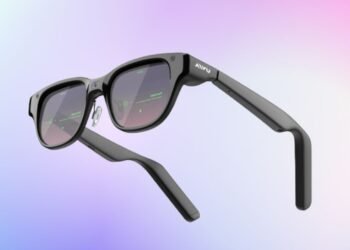

How much of what gets said in a meeting is actually remembered by the time everyone gets back to their desks? Many professionals spend hours each week in meetings, yet tracking decisions, action items, and key discussion points is still a challenge. Taking notes often means missing out on the real conversation.
The Halliday G2 takes on that problem with AI-powered glasses that display meeting updates, captions, translations, and notifications directly in your line of sight. Rather than having to check your laptop or phone frequently, users can see the relevant information as the conversation is taking place. In addition, the glasses can manage calls, music, schedules, weather, and voice assistance, helping people to remain focused during the day.


Ahead, we’ll get into how the meeting features work, what the display and sound setup involves, how the glasses hold up for everyday wear, and what Priority Access currently costs.
What is Halliday G2?
Halliday G2 brings artificial intelligence into professional conversations by displaying information directly in the user’s field of view during meetings. It offers a range of features such as captions, translation into over 45 languages, meeting summaries, and notifications from connected devices. Meeting details are displayed, helping participants stay focused on the discussion rather than shifting attention to laptops or taking notes. Other features include making calls, playing music, showing schedules and weather forecasts, and answering spoken questions when the user says “Hey Halliday”. Together, these features help keep track of what is discussed, record decisions, and keep open items visible during meetings.
Display and Optics
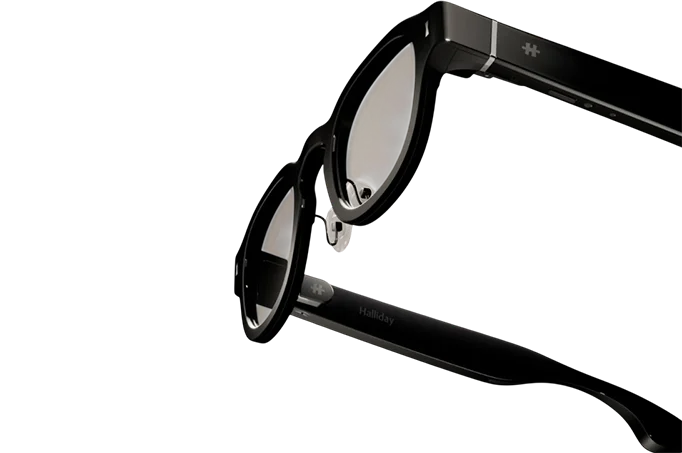
The Halliday G2 features a binocular waveguide display with dual microLED optical engines, delivering a resolution of 600 × 300 pixels per eye and a field of view of 25.2°. The information displayed is in green, and the maximum brightness is 1,600 nits. The lens is made up of several layers: an outer layer that protects against scratches and fingerprints, a waveguide layer that projects the information so that it can be seen while keeping the surrounding environment visible, and a prescription lens layer for correcting vision. On the right side of the temple, a 73-millimeter touch bar is used for gesture-based navigation. The action button can be configured to launch a specific feature with a single press.
Comfort and Everyday Wear
The Halliday G2 uses a balanced frame for daily prolonged use. It has a 210 mAh battery, supporting up to 12 hours of usage on one charge, and is charged using a magnetic cable. The frame has an IP54 rating, meaning that it is resistant to dust and water. The lenses can handle prescriptions varying from -8.00 to +2.00 SPH, with cylindrical correction ranging from -2.00 to 0.00 D. The lenses have a light transmittance of 98 percent and come with an anti-reflective coating.
Meeting Flow: Multiple AI Agents Working at Once
Meeting Flow functions as a core capability, where multiple AI agents operate at the same time during meetings, each focused on a particular aspect of the discussion.
Decision Confirmation indicates the point at which a choice is agreed upon and highlights any unclear items so they can be discussed while everyone is there.
Commitment Check captures commitments as they are made and checks what needs to be done, who will handle it, and when it should happen.
Thread Tracker keeps track of the conversation, identifying changes of topic and any unresolved issues.
Open-Item Tracker gathers any outstanding topics and brings them back to attention before the meeting wraps up.
Quick Summary can offer a recap of the recent conversation when requested, helping participants catch up if they missed part of the discussion.
Quick Research identifies questions that arise during the conversation and delivers concise answers within the meeting.
Post-meeting Summary after the meeting, Halliday G2 compiles an organized overview that captures every decision made, details the responsibilities assigned, and includes any open items.
These functions can be applied to various kinds of meetings, such as planning sessions, team reviews, informal check-ins, and fast-paced workshops, each with its own approach to discussion and decision-making.
Captions, Translation, and On-the-Fly Assistance
Halliday G2 shows real-time captions right in your line of sight during conversations and can translate more than 45 languages as you speak, so you can keep up with discussions in multiple languages. At any time, users can say “Hey Halliday” to ask questions. Cheatsheet keeps your important notes visible with smooth, moving prompts that appear just when you need them.
Additional day-to-day functions:
- Calls: Voice calls are supported, with directional audio that keeps conversations private.
- Music: You can play audio without using separate earbuds.
- Notifications: Phone notifications appear on the display, so updates can be seen without picking up a phone.
- Dashboard: Quick access to schedule, weather, and daily priorities is available whenever needed.
Audio and Voice Capture
Capturing voices clearly is important in meetings, so Halliday G2 uses a four-microphone array that picks up speech from up to two meters away, which is enough to cover a typical conference table. Voice recognition distinguishes the wearer’s speech from other voices in the room. For listening, four open-ear directional speakers focus sound directly to your ears, reducing the chance that people nearby will overhear your conversations or alerts.
Privacy Considerations
Privacy is a feature of every aspect of the Halliday G2. The device has no camera, so meetings can take place without concerns about video recording. The directional speakers direct sound toward the wearer rather than spreading it widely. The data is encrypted both during transfer and while stored. You have complete control over your data and can delete any stored information at any time.
Companion App and Connectivity
Halliday G2 connects to its mobile app using Bluetooth 5.4 with LE Audio capability. The companion app is compatible with both iOS and Android smartphones. Firmware updates are delivered wirelessly over 2.4 GHz Wi-Fi, so there is no need for a wired connection.
The Priority Access Details
You can secure a Halliday G2 by reserving Priority Access for $10, which gives you a $100 discount code to use when making your purchase. The regular price is $599, but with the discount, early reservations bring the cost down to $499. Shipments are expected to start in August 2026. Every purchase comes with a premium case, lens cleaning cloth, magnetic charging cable, and access to the Halliday app.
A Quick Recap Before You Decide
Halliday G2’s design choices, such as having no camera, using directional speakers, encrypting data, providing live captions, and offering post-meeting summaries, all point to a clear focus on privacy and clarity in meetings. Each feature may seem subtle on its own, but together they show that privacy is just as important as tracking what happens in a conversation. Whether this approach fits what people want in real-world meetings will only be revealed through actual use.