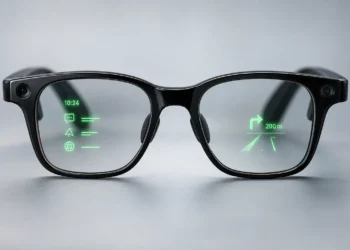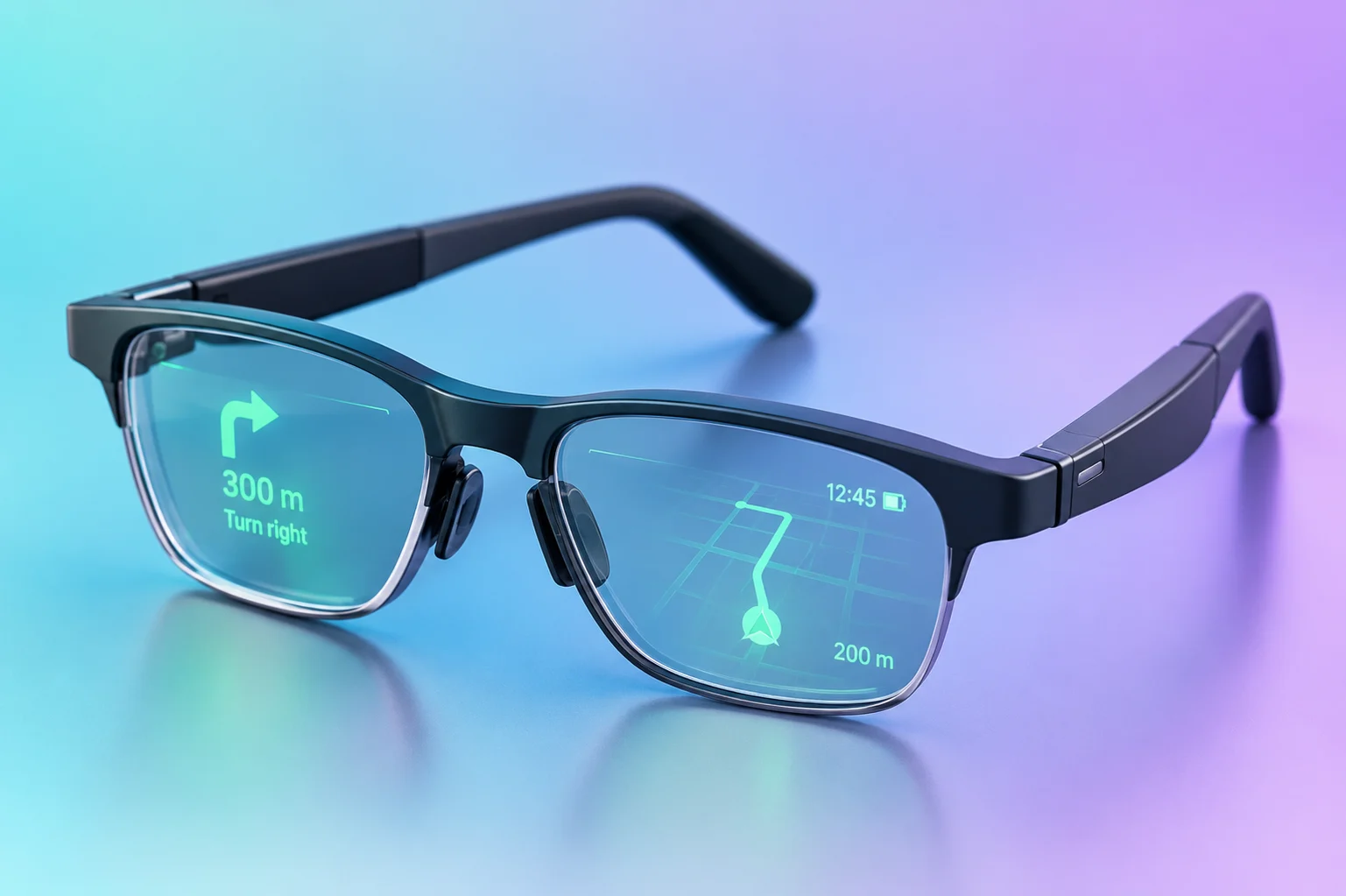

Finding your way around an unfamiliar city often means stopping to check directions. AI glasses with navigation can make that easier by displaying directions in your field of view or delivering spoken instructions through open-ear speakers.
Navigation features vary considerably between models. Some show maps and turn-by-turn directions, while others deliver spoken directions. Smartphone requirements, supported travel modes, regional availability, and pricing also matter.
We’ve listed six AI glasses for navigation, covering walking, cycling, daily commuting, and audio-guided travel.
Quick Picks
Best for Audio Navigation: Rokid AI Glasses Style. Spoken directions play through open-ear speakers, with no in-lens display.
Best Overall: Rokid Glasses. Upcoming turns and route details appear in the lenses, with voice guidance and support for walking, cycling, and driving where available.
Best for Daily Commuting: MemoMind One. Save frequently visited destinations and follow walking or cycling directions on the display without entering the same address every time.
Best Camera-Free Option: Even G2. Walking and cycling directions come with two map views and prescription lens options. The glasses have no camera or speakers.
Best for Walking and Cycling: INMO GO3. Follow routes with HERE Maps, a minimap, and directions in the lens. Spoken instructions come through the connected smartphone.
Best for Full-Color AR: RayNeo X3 Pro. Its binocular full-color displays show turn-by-turn directions and nearby places alongside other AR features.
Best for Full-Color AR — RayNeo X3 Pro: Binocular full-color MicroLED displays show navigation and AR visuals. Gemini Live handles AI assistance, while compatible Creator Mode applications support 6DoF spatial tracking.
Quick Comparison
Swipe sideways to see all columns.
| AI Glasses | Best For | Navigation Type | Travel Modes | Price |
|---|---|---|---|---|
| Rokid Glasses | Overall | Visual + Audio | Walking, Cycling, Driving* | $799 |
| MemoMind One | Daily commuting | Visual | Walking, Cycling | From $599 |
| Even G2 | Camera-free | Visual | Walking, Cycling | From $599 |
| INMO GO3 | Walking and cycling | Visual + Phone Audio | Walking, Cycling | $699 |
| RayNeo X3 Pro | Full-color AR | Visual | Not disclosed | $1,299 |
| Rokid AI Glasses Style | Audio navigation | Audio | Walking, Cycling, Driving* | $399 |
* Driving navigation is supported on Rokid Glasses and Rokid AI Glasses Style, subject to regional availability. Navigation features and travel modes may vary by region and app version. Prices are in USD and may vary by region, retailer, configuration, and promotions.
How We Got to This List
Our selection is based on published product information and research, not hands-on testing.
We focused on AI glasses with documented navigation features, looking at how they display directions or offer audio guidance, supported travel modes, and available map services. Smartphone requirements, regional availability, and pricing were also considered.
Rokid Glasses take the top spot for their visual and spoken navigation, support for walking, cycling, and driving where available, and two map views. The other models cover specific navigation needs, including camera-free displays, audio guidance, and full-color AR.
1. Rokid Glasses: Best Overall
Rokid Glasses show upcoming turns, distances, and route details through binocular green MicroLED displays. Directions appear in the lenses, with spoken guidance.
Navigation works through the Hi Rokid app, using Google Maps as the map data source. You can enter a destination in the app or start directions with voice commands. The glasses support walking, cycling, and driving modes where available.
The glasses offer two map views: a mini-map and a larger map. You can switch between them by swiping the touchpad.
Other features include a 12MP camera, AI assistance, and real-time translation.
Important Details
- Navigation: Visual turn-by-turn directions and spoken guidance.
- Travel Modes: Walking, cycling, and driving where supported.
- Map Service: Google Maps data, with regional variations possible.
- Display: Binocular green MicroLED.
- Connectivity: Requires a connected smartphone and active internet access.
Why choose it: Rokid Glasses offer both visual and spoken navigation, walking, cycling, and driving modes where supported, and two map views. That range of navigation features puts them at the top of our list.
What to consider: Navigation features, map services and travel modes can vary by region and app version. Full navigation access requires a subscription, so check which features are available and how much the subscription costs before buying.
Want to check the details yourself? Rokid Glasses · Navigation Documentation · Rokid FAQ
2. MemoMind One: Best for Daily Commuting
MemoMind One shows walking and cycling directions through binocular green MicroLED displays. As you follow a route, the glasses show your next turn, the distance to it, and your current direction.
Navigation works through the MemoMind app, where you can search for a destination and select walking or cycling. You can also start navigation with voice commands and save frequently visited places, so you don’t have to enter the same address each time.
The glasses have no camera but include open-ear speakers, AI assistance, real-time translation, and meeting recording with AI summaries.
Important Details
- Navigation: Visual turn-by-turn directions and saved destinations.
- Travel Modes: Walking and cycling.
- Display: Binocular green MicroLED, 640 × 350 pixels.
- Audio: Open-ear speakers with Bluetooth audio support.
- Compatibility: iOS 15+; Android through the MemoMind app.
Why choose it: MemoMind One offers visual walking and cycling directions, saved destinations, and open-ear audio support. Its navigation features cover regular routes without a camera in the frame.
What to consider: MemoMind’s own navigation does not include spoken directions. However, you can hear voice guidance from third-party apps such as Google Maps through the glasses’ Bluetooth audio. Driving navigation is not supported. Check frame availability in your country before ordering.
Want to check the details yourself? MemoMind One · Navigation Documentation · MemoMind FAQ
3. Even G2: Best Camera-Free Option
Even G2 shows walking and cycling directions directly in the lenses, without a camera or speakers. Its Navigate feature displays upcoming turns, remaining distance, and street names as you follow a route.
You can view the map in two ways. Mini Map turns with your direction of travel, while Full Map stays oriented north. A single tap on the touchpad switches between them.
Routes can include up to five additional stops, which may be useful when visiting several destinations in one journey. Even G2 also supports prescription lenses, real-time translation, notifications, and a teleprompter.
Important Details
- Navigation: Visual turn-by-turn directions with Mini Map and Full Map views.
- Travel Modes: Walking and cycling.
- Map Service: Google Maps data.
- Additional Stops: Up to five waypoints.
- Prescription: Custom lenses from −12.00D to +12.00D.
Why choose it: Even G2 offers visual navigation without a camera or speakers. Its two map views, support for multiple stops, and prescription lens options make it worth considering for walking and cycling.
What to consider: Navigation requires a connected smartphone, location access, and an internet connection. It doesn’t support offline navigation, and the glasses cannot play spoken directions.
Want to check the details yourself? Even G2 · Navigate Documentation · Even G2 FAQ
4. INMO GO3: Best for Walking and Cycling
INMO GO3 shows walking and cycling directions directly in the lenses using HERE Maps. A live minimap appears alongside turn-by-turn instructions, showing route information as you travel.
You can choose walking or cycling navigation, with visual directions appearing in the glasses and spoken instructions playing through the connected smartphone.
Beyond navigation, INMO GO3 supports real-time AI translation, meeting transcription, AI summaries, and a teleprompter. The INMO app is available for both iOS and Android.
Important Details
- Navigation: Visual turn-by-turn directions and a live minimap.
- Map Service: HERE Maps.
- Travel Modes: Walking and cycling.
- Voice Guidance: Spoken directions through the connected smartphone.
- Compatibility: iOS and Android.
Why choose it: INMO GO3 offers a live minimap alongside turn-by-turn directions for walking and cycling, with HERE Maps handling route information.
What to consider: Spoken directions play through the connected smartphone rather than the glasses. Check HERE Maps coverage in your region before purchasing.
Want to check the details yourself? INMO GO3
5. RayNeo X3 Pro: Best for Full-Color AR
RayNeo X3 Pro shows navigation directions through binocular full-color MicroLED displays. Upcoming turns and nearby places appear in your field of view as you follow a route.
The displays have a 640 × 480 pixel resolution and a 30° field of view. Navigation is one of several features, alongside real-time translation, camera functions, and a teleprompter.
RayNeo X3 Pro also supports Gemini Live for AI assistance. Its Creator Mode includes 6DoF tracking and SLAM for spatial AR applications.
Important Details
- Navigation: Visual turn-by-turn directions and nearby places.
- Display: Binocular full-color MicroLED, 640 × 480 pixels.
- Field of View: 30°.
- Spatial Features: 6DoF and SLAM support through Creator Mode.
- Price: $1,299.
Why choose it: RayNeo X3 Pro offers navigation through full-color displays, along with AI assistance and spatial AR features.
What to consider: At $1,299, RayNeo X3 Pro is the most expensive model in this list. Before purchasing, check which navigation modes and map services are available in your region.
Want to check the details yourself? RayNeo X3 Pro
6. Rokid AI Glasses Style: Best for Audio Navigation
Rokid AI Glasses Style uses open-ear speakers for voice-guided navigation instead of showing directions in the lenses. Spoken instructions help you follow a route without relying on a visual map.
Navigation works through the Hi Rokid app, where you can search for a destination, select a travel mode, and start directions. You can also start navigation with voice commands. The glasses support walking, cycling, and driving navigation where available.
The glasses also feature a 12MP camera, AI assistance, and prescription lens options.
Important Details
- Navigation: Spoken turn-by-turn guidance through open-ear speakers.
- Display: None.
- Travel Modes: Walking, cycling, and driving where supported.
- Camera: 12MP.
- Prescription: Custom lenses from −15.00D to +15.00D.
Why choose it: Rokid AI Glasses Style offers audio navigation without maps or text appearing in your field of view.
What to consider: Navigation requires a connected smartphone, the Hi Rokid app, and internet access. The glasses cannot display maps or detailed route information. Available navigation features may differ by region.
Want to check the details yourself? Rokid AI Glasses Style · Rokid FAQ
What to Consider Before Buying AI Glasses for Navigation
Visual Directions or Audio Guidance?
Navigation features vary between models. Some glasses show upcoming turns, distances, and maps in your field of view, while others give spoken directions through open-ear speakers.
Rokid Glasses offer both visual and spoken directions. Rokid AI Glasses Style has no in-lens display and uses audio guidance instead. Think about whether you’d rather see your route or hear the directions.
Supported Travel Modes
Even G2, MemoMind One, and INMO GO3 support walking and cycling navigation.
Rokid Glasses and Rokid AI Glasses Style also support driving directions where available. Before buying, check which travel modes work in your country and whether they meet your needs.
Smartphone and Internet Requirements
Most AI glasses in this list need a connected smartphone for navigation. For example, MemoMind One uses its app to search for destinations and plan routes.
Even G2 needs a connected smartphone with location services, location permission, and internet access. With Always location access enabled for the Even Realities app, the glasses can continue loading map information while your phone is locked.
Check the connection requirements before buying, especially if you plan to travel in areas with poor mobile coverage.
Map Service and Regional Availability
INMO GO3 uses HERE Maps for walking and cycling directions. Rokid Glasses and Even G2 use Google Maps data.
Before buying, check whether the maps and navigation features work in the places you plan to visit, especially when traveling internationally.
Navigation Safety
Whether directions appear in your lenses or play through speakers, always pay attention to traffic, road signs, and your surroundings.
Some models support driving directions, but don’t let the glasses distract you from the road. Follow local traffic laws and avoid interacting with the glasses while driving.
Even Realities specifically advises against using its Navigate feature while driving a motor vehicle or riding a motorcycle.
Frequently Asked Questions
1. Can AI glasses show Google Maps directions?
Yes. Even G2 uses Google Maps data to show turns, distances, and maps through its Navigate feature. Rokid Glasses also use Google Maps data for navigation. Both show directions through their own navigation features.
2. Do AI navigation glasses work without a smartphone?
Most models in this list need a connected smartphone for navigation. Rokid Glasses need the Hi Rokid app and an internet connection. MemoMind One uses its app to choose destinations and start routes, while Even G2 needs a connected smartphone with location services and internet access.
3. Which AI glasses support cycling navigation?
Rokid Glasses, Rokid AI Glasses Style, MemoMind One, Even G2, and INMO GO3 support cycling navigation. Check whether the feature is available in your region and covers the routes you plan to take.
4. Can AI glasses navigate without an internet connection?
Rokid Glasses and Even G2 need an internet connection for navigation. Rokid AI Glasses Style also lists internet access as a requirement. For the other models, check whether offline maps and directions are supported before using them without an internet connection.
5. Can AI glasses replace a smartphone for navigation?
Not completely. Most models in this list still need a connected smartphone. MemoMind One uses its app to choose destinations and start routes. Even G2 can start navigation to saved addresses from the glasses, but it still needs a connected smartphone with location services and internet access.