
Most people forget roughly 40% of what they hear within the first 20 minutes of a conversation. For professionals juggling back-to-back meetings, that number quietly becomes a real problem. Wearable AI recorders have been around for a while, but the category has mostly struggled with clunky designs, unreliable transcripts, and battery life that barely survives a full workday. The ANYPIN Note Pod P1 takes a noticeably different approach, small enough to wear as a pin or necklace, sharp enough to pick up voices across a room, and smart enough to sort through the noise afterward. Whether it actually delivers on that promise is worth a closer look.
We’ll walk through the features, dig into the AI capabilities, and weigh up whether it holds up in practice.


Design, Build, and Wear Options
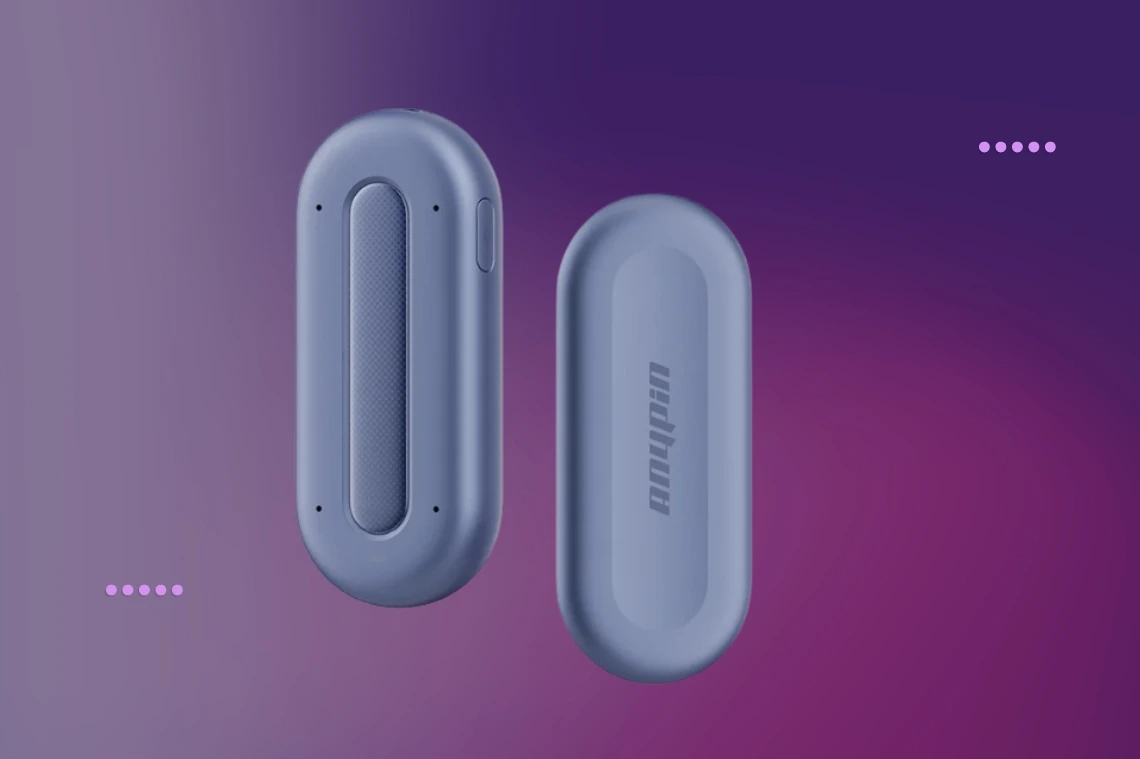
Compact and easy to carry, the ANYPIN measures just 2.56 × 1.10 × 0.37 inches and weighs only 0.77 ounces. You can wear it as a necklace, clip, or pin, and the decorative strips can be swapped out to match your style. Made from eco-conscious materials, it’s protected against dust and splashes with an IP64 rating. In 2026, the Note Pod P1 received the iF Design Award.
How the ANYPIN Note Pod P1 Captures and Transcribes Audio
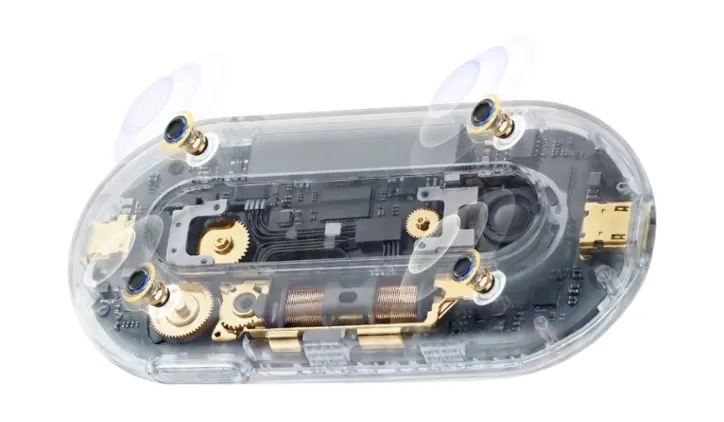
Equipped with four microphones, the Note Pod P1 can pick up voices from up to 16.4 feet (5 meters), helping limit background noise and improve speech clarity, especially in meetings. With a single tap, all voices in the room are recorded, and users can insert voice notes during a session to expand on their ideas. For transcription, the device handles more than 120 languages and uses AI to process audio, filter out noise, and distinguish between speakers, labeling each one in the transcript for easier reference.
How the Note Pod P1 Handles Multiple Speakers
With its four-microphone setup, the Note Pod P1 can distinguish multiple voices when several people are speaking at once. Speaker diarization technology helps the device tell speakers apart, even in busy meeting rooms. Although things like background noise and the acoustics of the space can affect how well it works, it usually does a better job at capturing multiple voices than recorders that only have one microphone.
AI Summaries, Chat Search, plus Insights
The Note Pod P1 helps keep meetings organized by using AI to highlight key points from each recording and group conversations by topic. If you need to find something later, the chat-based search powered by GPT-5 lets you interact with your recordings in plain language. You can look up answers, track down particular details, or ask for a summary on a particular subject. During any session, it’s easy to pin important moments for later review in the app, and you can add quick voice notes whenever you have a new idea.
Context-Aware Recording and Scheduling
With the Note Pod P1, you don’t have to worry about missing anything. Recordings can start and stop on their own, using your calendar, location, or Apple Focus settings as cues. There’s no need to remember to hit record every time. For extra privacy, you can tell the device to pause recording automatically whenever you’re at home or in the office by adding those locations to a map. You can also set up a schedule so the device stays off at certain times. Every recording is safely encrypted right on the device before it’s transferred anywhere else.
Privacy Controls and Data Security
Privacy and data protection are key priorities with the Note Pod P1. Every recording is encrypted right on the device before it’s sent anywhere. You can set it to automatically pause recording in sensitive areas, such as your home or office. The Note Pod P1 also complies with leading international security and privacy standards, including ISO/IEC 27001, ISO/IEC 27701, ISO/IEC 20000, ISO 56001, and SOC 2. When recordings are stored in the cloud, AWS infrastructure helps keep your data safe.
File Transfer, Export, and Storage
With Wi-Fi, the Note Pod P1 can upload files up to 20 times faster than Bluetooth options, according to ANYPIN. Recordings move to the cloud automatically when the device connects to a known network, so you don’t have to do anything. The 64GB of built-in storage gives you plenty of space, even if your connection is spotty. When you need to share or archive your recordings, the device supports exporting in multiple formats, including audio and text, making it easy to integrate with a variety of apps and document workflows.
Storage and Battery
The Note Pod P1 has 64GB of storage and a 380 mAh battery, giving you up to 20 hours of recording and 140 hours of standby time. According to ANYPIN, this is approximately 40 percent more recording time than comparable products. The device fully charges in about 1.5 hours with the included charging station.
Free Usage Tier
The Note Pod P1 offers a free plan with up to 380 minutes of transcription per month, plus unlimited AI features and audio storage at no extra cost.
Pricing, Colors, and What is in the Box
You can buy the ANYPIN Note Pod P1 on the official website for $152.99, which is 40% off the regular price. It comes in Meteorite Grey and Cosmic Blue. Each package includes the device, back plate, back clip, charging station, data cable, and user manual. Purchases include a one-year warranty and a 30-day free return policy.
A Second Opinion Worth Having
Forgetting details from conversations is a common challenge, especially under pressure. A reliable tool to address these gaps can be valuable without adding complexity to a busy schedule. The ANYPIN works quietly in the background during meetings, interviews, and discussions, capturing information that might otherwise be missed. Some users will find this functionality highly valuable, while others may not need it. Understanding its capabilities can help determine if it meets your needs.