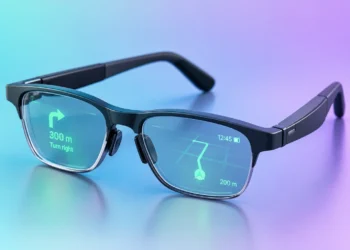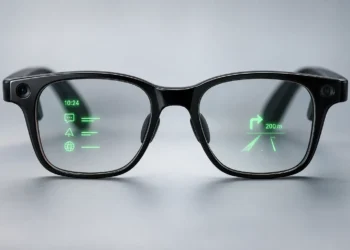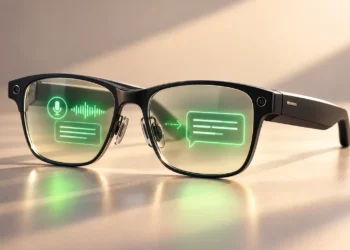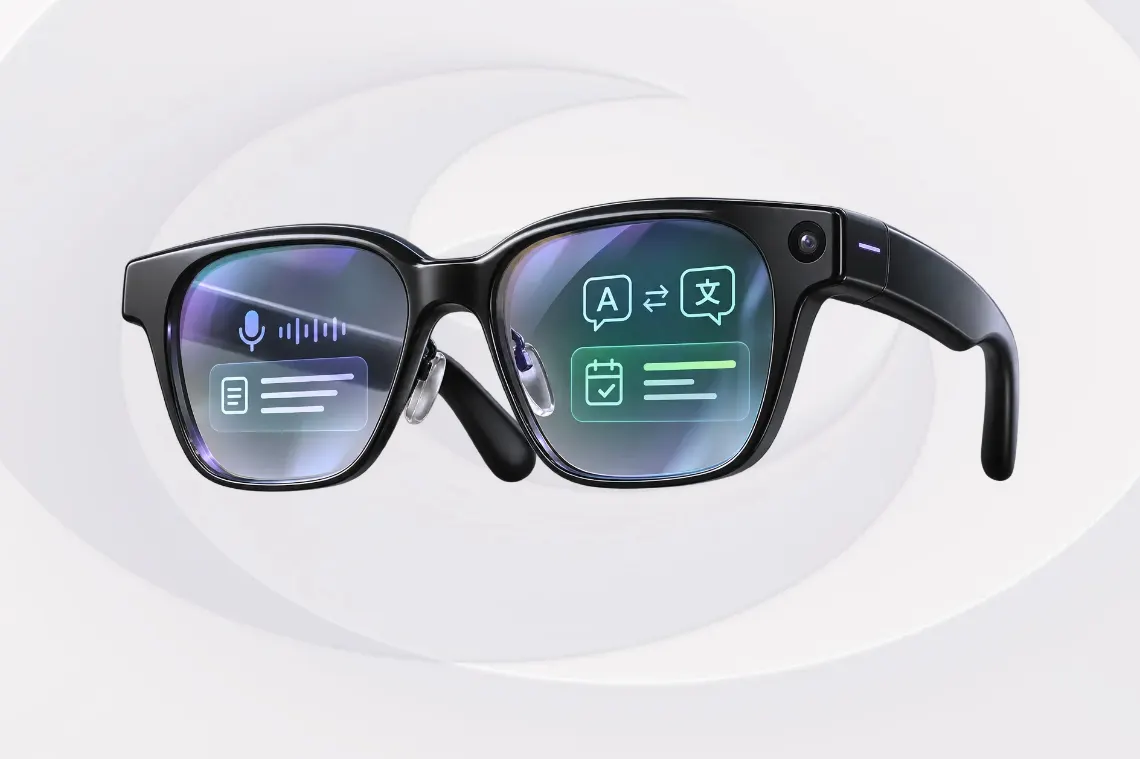

Could AI glasses make meetings, presentations, and daily tasks easier? Some show live captions, useful information during meetings, or speaking prompts in your field of view. Others can record conversations, create summaries, or help with translation.
But choosing the right glasses for work isn’t just about AI features. Camera privacy, battery life, and meeting tools also matter.

We’ve listed five AI glasses for different work needs, from meetings and presentations to everyday office tasks.
Quick Picks
Halliday G2: Best Overall. Meeting Flow shows live captions, tracks decisions and commitments, and highlights questions that still need answers. After a meeting, you can review a discussion summary.
Even G2: Best for Professional Conversations. Conversate shows live transcripts and helpful information during conversations. You can prepare talking points before a meeting and review a summary afterward.
Rokid Glasses: Best for Presentations. The AI teleprompter shows your script in the lenses and scrolls as you speak. The glasses also support translation, voice notes, and photo and video recording with a 12MP camera.
RayNeo iO: Best for Everyday Productivity. These camera-free glasses offer live captions, AI meeting summaries, and a teleprompter. You can also ask questions using voice commands and read the answers on the lenses.
INMO GO3: Best for Meeting Recording and Calls. INMO GO3 can record meetings and calls through supported apps. Recordings are automatically transcribed, and you can create AI summaries with follow-up tasks in the INMO Global app.
Quick Comparison
| AI Glasses | Best For | Key Work Features | Camera | Price |
|---|---|---|---|---|
| Halliday G2 | Overall | Meeting Flow, live captions, meeting summaries | No | $599 |
| Even G2 | Professional conversations | Live transcripts, helpful information, prepared notes | No | From $599 |
| Rokid Glasses | Presentations | Teleprompter, voice notes, translation | Yes (12MP) | $699 |
| RayNeo iO | Everyday productivity | Live captions, meeting summaries, teleprompter | No | From $499 |
| INMO GO3 | Meeting recording and calls | Call recording, transcription, AI summaries | Yes (camera cover) | $699 |
Swipe sideways to see every column.
Prices are in USD and may vary by region, retailer, configuration, and promotions. The prices shown exclude temporary discounts.
How We Chose
We focused on AI glasses with features for meetings, presentations, and everyday office tasks.
We looked at live captions, meeting notes, AI summaries, and teleprompters, along with camera privacy, battery life, smartphone compatibility, subscription costs, and price.
Our selections are based on published product information and research, not hands-on testing. We also considered each model’s limitations.
1. Halliday G2: Best Overall
Halliday G2 helps users follow meetings and keep track of important discussions. Its Meeting Flow feature shows live captions and meeting information through a green MicroLED display in both lenses.
During meetings, Meeting Flow highlights important decisions, tracks commitments, and points out questions that still need answers. It also shows live captions, translations, and quick summaries. Afterward, you can review a summary of the discussion, including decisions, commitments, and pending points.
Halliday G2 has no camera, which may be useful in offices where photography and video recording are restricted. However, Meeting Flow still uses microphones to follow conversations, so check workplace rules before using it during meetings.
Important Details:
- Display: Binocular green MicroLED, 600 × 300 pixels per eye.
- Meeting Flow: Live captions, decision tracking, quick summaries, and post-meeting notes.
- Translation: More than 45 languages.
- Battery: Up to 12 hours of regular use.
- Price: $599.
Why choose it: Halliday G2 takes the Best Overall spot because Meeting Flow helps track decisions, commitments, and unanswered questions during meetings. You can also review a summary afterward.
What to consider: Meeting Flow uses monthly credits. The Basic plan includes 400 credits, enough for about four hours of full Meeting Flow use each month. Eligible launch purchases include one year of Basic, with paid Pro and Max upgrades. Battery life is up to three hours during intensive use. The glasses and app currently have English menus and settings, although Meeting Flow and translation support more than 45 languages.
Want to check the details yourself? Halliday G2 · Meeting Flow · Halliday FAQ
2. Even G2: Best for Professional Conversations
Even G2 helps users follow conversations and review important points afterward. Its Conversate feature shows live transcripts and helpful information through a green MicroLED display in both lenses.
During conversations, the glasses can explain unfamiliar topics, suggest answers, and show notes prepared beforehand. Afterward, you can review summaries and transcripts in the app or save them as PDF, DOCX, or TXT files.
Important Details:
- Display: Binocular green MicroLED.
- Conversate: Live transcripts, helpful information during conversations, prepared notes, and summaries.
- Teleprompt: Shows prepared scripts with scrolling that follows your speech, runs at a set speed, or can be controlled manually.
- Battery: Up to two days of regular use.
- Price: From $599; prescription lenses cost extra.
Why choose it: Even G2 is useful for client meetings, interviews, and other important conversations. You can prepare notes beforehand, follow what’s being said, and review the discussion afterward.
What to consider: Even G2 needs the Even Realities app, Bluetooth, and an internet connection. The glasses have no speakers, so you read the information on the lenses rather than hear it.
Want to check the details yourself? Even G2 · Conversate · Teleprompt
3. Rokid Glasses: Best for Presentations
Rokid Glasses have an AI teleprompter that shows prepared scripts through a green MicroLED display in both lenses. The text scrolls as you speak so that you can follow your script during presentations.
You can prepare scripts in the Hi Rokid app. The glasses also show live captions and translations, take voice notes, and answer questions using AI. For meetings, they support transcription and AI summaries. A 12MP camera can take photos and record videos.
Important Details:
- Display: Binocular green MicroLED.
- Teleprompter: Speech-following and constant-speed scrolling.
- Meeting tools: Voice notes, transcription, and AI summaries.
- Translation: 89 languages online and six offline.
- Price: $699.
Why choose it: Rokid Glasses are a good option for presentations, speeches, and training sessions. You can follow your prepared script while speaking, without looking down at notes or a separate screen.
What to consider: The camera may be a concern in workplaces with strict recording rules. You’ll need the Hi Rokid app to set up the glasses and prepare teleprompter scripts. Some features also need an internet connection.
Want to check the details yourself? Rokid Glasses · AI Teleprompter · Rokid FAQ
4. RayNeo iO: Best for Everyday Productivity
RayNeo iO shows live captions, notifications, and AI answers through a green MicroLED display in both lenses. The glasses have no camera and also support voice commands and a teleprompter for presentations.
With Voice Memo, you can record meetings and get written transcripts and AI summaries. You can review the main points and follow-up tasks later in the RayNeo app.
Important Details:
- Display: Binocular green MicroLED.
- Meeting tools: Voice Memo, transcription, and AI summaries.
- Translation: Live captions and multilingual translation.
- Battery: Up to two days of typical use.
- Price: From $499.
Why choose it: RayNeo iO is a good option for everyday office tasks, including taking meeting notes, preparing for presentations, and getting quick answers.
What to consider: RayNeo iO has no speakers, so you read AI answers on the lenses rather than hear them. Battery life is up to 6.2 hours of continuous translation or two days of typical use. RayNeo AI and Gemini 3.1 Flash Lite are free, while other AI models are available through an optional $9.99 monthly subscription.
Want to check the details yourself? RayNeo iO · Product Details · RayNeo Support
5. INMO GO3: Best for Meeting Recording and Calls
INMO GO3 can record in-person meetings, regular phone calls, and calls through apps such as WhatsApp and Zoom. It has four microphones with noise cancellation, and you can turn recordings into written transcripts using the INMO Global app.
You can use the INMO Global app to create AI summaries with follow-up tasks, then copy or share them. The glasses also support live translation, AI assistance, notifications, and a teleprompter that turns pages automatically as you speak in supported languages or manually using the glasses’ touchpad.
Important Details:
- Display: Binocular green MicroLED.
- Meeting tools: Four microphones, transcription, and AI summaries.
- Call recording: Phone calls and supported calling apps.
- Teleprompter: Turns pages automatically as you speak in supported languages, or manually using the glasses’ touchpad.
- Price: $699.
Why choose it: INMO GO3 is useful for work involving frequent meetings and client calls. You can look back at what was discussed and check any tasks that need attention afterward.
What to consider: Call recording may vary by smartphone and app, so check compatibility before buying. The glasses include a camera cover, but it does not stop audio recording. Follow workplace recording rules and inform participants before recording.
Want to check the details yourself? INMO GO3 · Meeting Recording · INMO GO3 FAQ
What to Consider Before Buying AI Glasses for Work
Meeting features
Some AI glasses show live captions, notes, or helpful information during discussions. Others can record conversations and create transcripts or summaries afterward. AI transcripts and summaries may contain mistakes, so check important details before sharing or relying on them.
Think about whether you need information during a meeting, notes to review later, or both.
Camera privacy
Halliday G2, Even G2, and RayNeo iO have no cameras. Rokid Glasses and INMO GO3 can take photos and record videos.
Glasses without cameras may be useful in offices where photography is restricted. However, they can still use microphones during meetings. Even G2, for example, saves transcripts and summaries but not the original audio during normal Conversate use. Check workplace rules before recording or transcribing conversations.
Display and audio
AI glasses can show live captions, prepared notes, and presentation scripts in the lenses. Some also have speakers for calls and spoken AI answers.
Even G2 and RayNeo iO have no speakers, so they show information through their displays. Halliday G2 has open-ear speakers. For spoken translations, INMO GO3 uses a connected smartphone or an optional INMO Speaker accessory.
Before buying, think about whether you need information on the display, spoken audio, or both.
Subscriptions and AI features
Some AI glasses need an internet connection or a smartphone app for certain tasks. Others have monthly usage limits or charge extra for advanced AI tools.
Before buying, check what’s included in the price and whether you’ll need to pay a monthly fee.
Battery life
How long AI glasses last on a charge depends on what you’re doing. Recording meetings or using live translation can use more power than everyday tasks.
If you attend long meetings or give presentations, check how long the glasses can run with those features turned on.
Smartphone compatibility
Many AI glasses need a smartphone app for meeting notes, AI assistance, and other functions. Some also need an internet connection.
Before buying, check whether the glasses work with your smartphone and whether the tools you need are available in your country.
Frequently Asked Questions
Can AI glasses record and summarize work meetings?
Yes. RayNeo iO and INMO GO3 can record conversations and create transcripts and AI summaries. Halliday G2 and Even G2 show live information during discussions and save written summaries. Rokid Glasses also support transcription and AI summaries.
Which AI glasses are best for presentations?
Rokid Glasses are a good choice. Their teleprompter shows your script in the lenses and scrolls as you speak. Even G2, RayNeo iO, and INMO GO3 also have teleprompters.
Can AI glasses record Zoom or WhatsApp calls?
INMO GO3 supports recording calls through apps such as Zoom and WhatsApp. Compatibility can vary depending on your smartphone and the app you’re using, so check before buying. Make sure everyone knows about the recording and get their permission when required.
Are camera-free AI glasses better for office use?
Camera-free AI glasses may be a better choice in offices where cameras are restricted. However, some can still record audio or turn conversations into text. Check your workplace’s rules before using these features.
Can AI glasses replace a laptop for work?
Not for most office tasks. AI glasses can help during meetings and presentations, but a laptop or desktop computer is still more useful for writing documents, working with spreadsheets, and handling more demanding tasks.